Uninstall
This guide covers the complete removal of klipper-toolchanger from your printer. Follow the steps below to delete the repository and clean up any leftover symlinks in Klipper.
Remove Klipper-Toolchanger
Connect to the printer via SSH and enter the following commands:
This will list the installed extension folders. Identify the correct toolchanger folder to remove. In this example we uninstall klipper-toolchanger:
Double-check the folder name
rm -rf will permanently delete the folder without confirmation.
Clean Up Broken Symlinks
Delete the broken symlinks that still exist in ~/klipper/klippy/extras/:
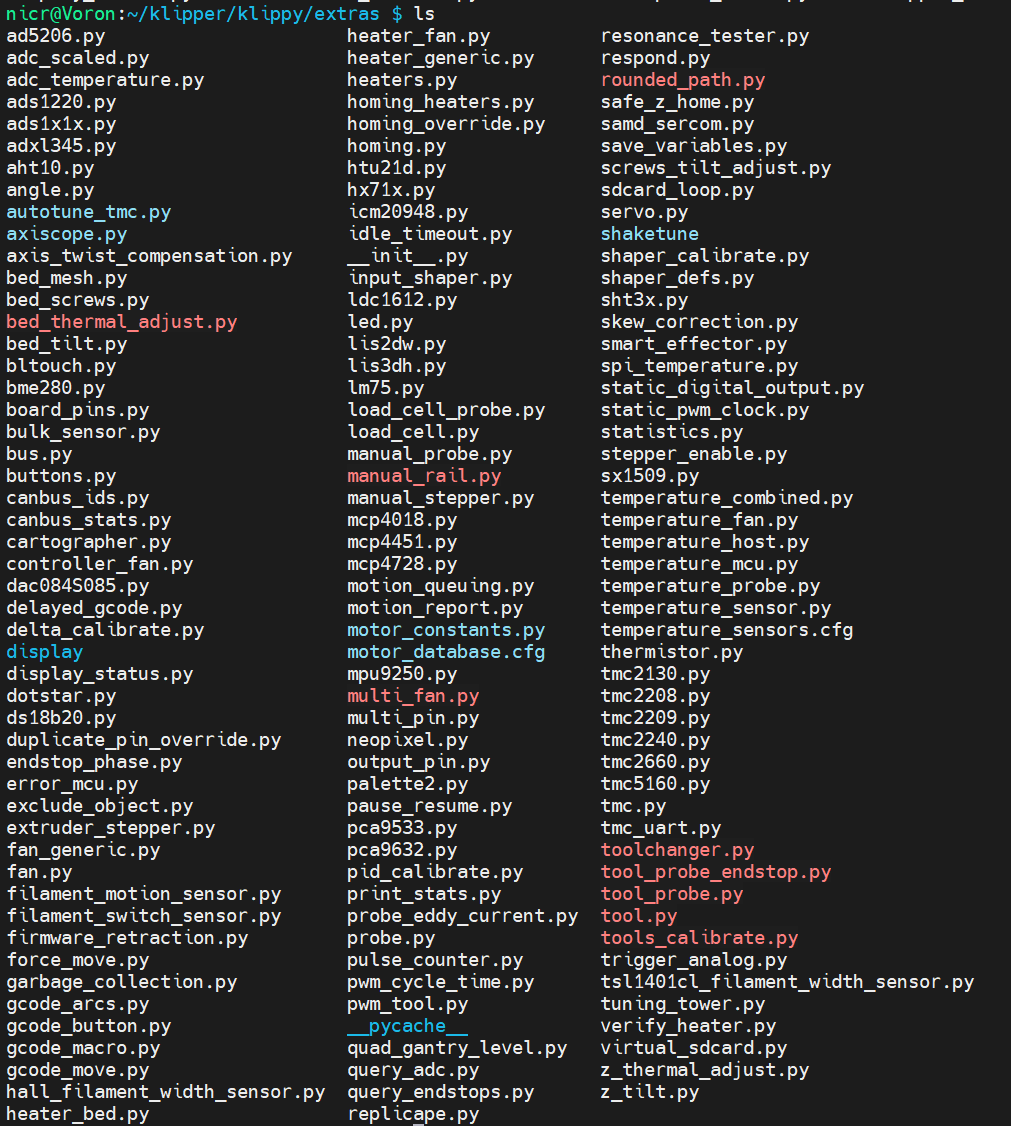
The files shown in red are broken links and can be safely removed:
sudo rm -f ~/klipper/klippy/extras/bed_thermal_adjust.py \
      ~/klipper/klippy/extras/multi_fan.py \
      ~/klipper/klippy/extras/manual_rail.py \
      ~/klipper/klippy/extras/rounded_path.py \
      ~/klipper/klippy/extras/toolchanger.py \
      ~/klipper/klippy/extras/tool_probe_endstop.py \
      ~/klipper/klippy/extras/tool_probe.py \
      ~/klipper/klippy/extras/tool.py \
      ~/klipper/klippy/extras/tools_calibrate.py
Printer Config
Remove the following include line from your printer.cfg:
Moonraker Config
If you added the update manager entry during installation, remove the following block from your moonraker.conf:
[update_manager klipper-toolchanger-easy]
type: git_repo
path: ~/klipper-toolchanger-easy
origin: https://github.com/jwellman80/klipper-toolchanger-easy.git
managed_services: klipper
primary_branch: main
klipper-toolchanger has been removed cleanly from your system.